20. Transactions
Booking a Transaction#
- Press *NEW TRANSACTION. CTM clears the data fields, unticks all players, shows the next free TRANSACTION ID, and starts the live time stamp.
- Tap the players in SELECT PLAYER(S) FOR TRANSACTION to tick them.
- Type the amount and press the LSK next to AMOUNT. To take play money away from the players, press the - key; the minus sign is placed in front of the amount.
- Optionally, type a note and press the LSK next to TRANSACTION NOTE.
- Press EXE. The transaction appears in the DG, the players are unticked, and the balances in the player list are updated.
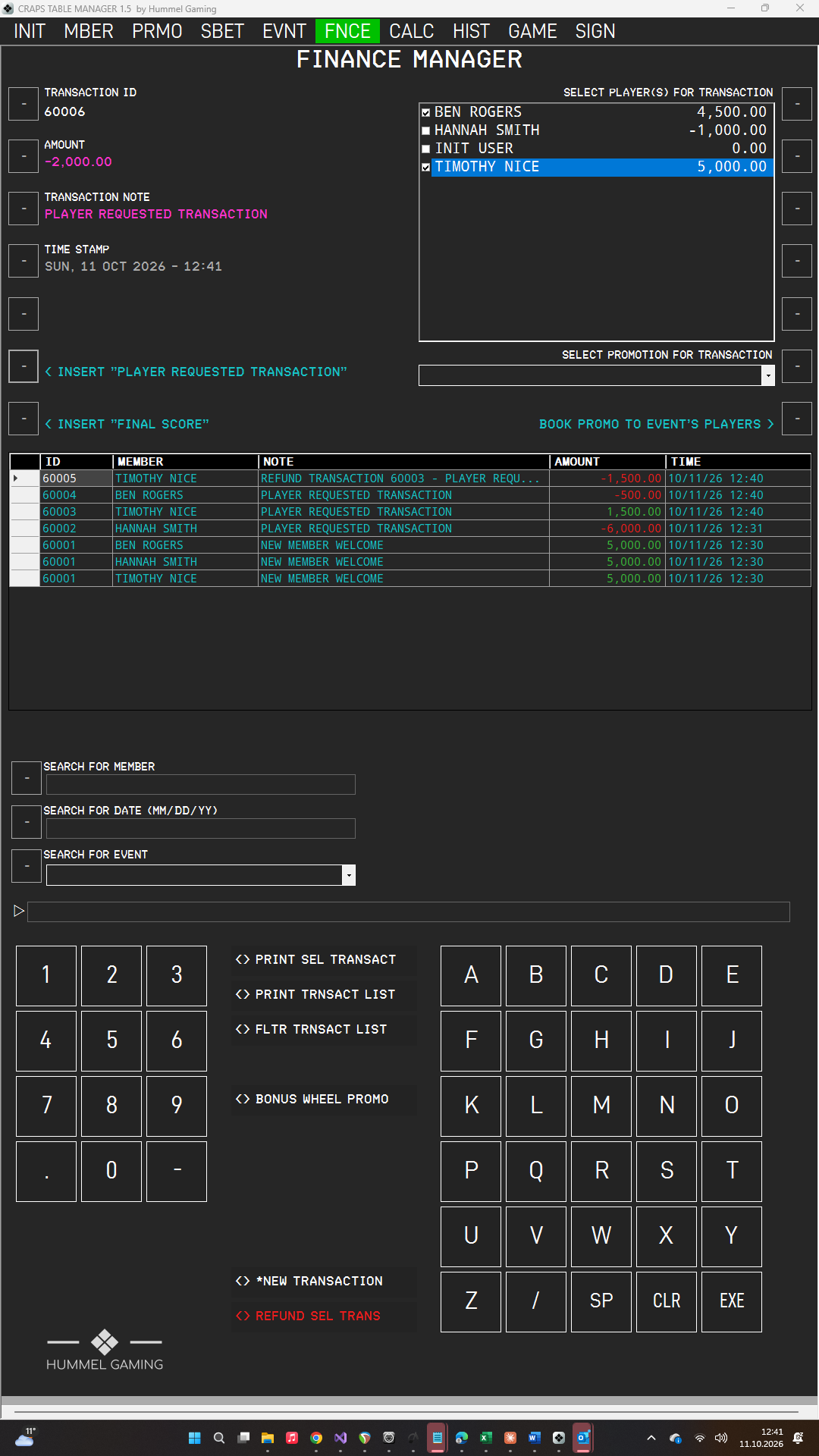
Final Scores and Player Requests#
Two buttons fill in the transaction note for you:
- INSERT "FINAL SCORE" enters the note FINAL SCORE followed by the title of the active event. Use it when you book the players' results at the end of the evening. Final scores are booked as positive amounts. The button fills only an empty note.
- INSERT "PLAYER REQUESTED TRANSACTION" enters that text as the note. Use it for bookings that a player requested.
Refunding a Transaction#
A refund reverses a transaction. The original transaction remains in the list.
- Tap the transaction in the DG.
- Press REFUND SEL TRANS. The data fields show the values of the transaction, and TIME STAMP shows its time. The ScratchLine asks for confirmation.
- Press EXE. CTM books the opposite amount to the same players, with the note REFUND TRANSACTION followed by the original ID and the original note.
Press CLR instead to cancel; CTM then clears the data fields.
A transaction can be refunded only once, and a refund itself cannot be refunded. A transaction that involves several players is refunded for all of them.