31. Game Show Controller and Sound Effects (Pro)
In the Pro edition, CTM plays sound effects. Some play automatically when you record a roll; others play when you press a button of the GAME SHOW CONTROLLER, for example an announcement or applause. Each of these buttons also sends its light scene.
→ See Lighting Scenes.
Sound effects must be switched on, and the folder containing your sound files must be set.
→ See Settings Page 1 – System.
Sound Files#
CTM comes with a standard sound pack, which the installer places in the sound effects folder. Each file is named sfx_ followed by the event name in lowercase letters, for example sfx_sevenout.mp3. To use your own sound, replace the file of the same name. Common types such as WAV and MP3 work. Hummel Gaming also produces an individual sound pack, made for your events, at hummelgaming.com.
If a file is missing, the button or event stays silent without any message. If the folder does not exist, CTM creates it.
| File name | Plays when |
|---|---|
| sfx_comeoutnatural | 7 or 11 on the come-out roll |
| sfx_comeoutcraps | 2, 3 or 12 on the come-out roll |
| sfx_pointestablished | A point is set |
| sfx_pointhit | The shooter rolls the point |
| sfx_sevenout | Seven out |
| sfx_hardwayhit | Hard way while a point is set |
| sfx_neutralroll | Any other roll while a point is set |
| sfx_noroll | You press NO ROLL |
| sfx_intro | INTRO |
| sfx_preparing | PREPARING |
| sfx_letsplay | LET'S PLAY |
| sfx_choosedice | CHOOSE DICE |
| sfx_pause | PAUSE IN/OUT |
| sfx_musicbed | MUSIC BED |
| sfx_stopmusicbed | STOP |
| sfx_outro | OUTRO |
| sfx_smallapplause | S APPLAUSE |
| sfx_bigapplause | L APPLAUSE |
| sfx_jackpothit | A Side Bet Jackpot hits |
Controller Buttons#
The buttons of the GAME SHOW CONTROLLER are INTRO, PREPARING, LET'S PLAY, CHOOSE DICE, PAUSE IN/OUT, MUSIC BED, STOP, S APPLAUSE, L APPLAUSE, and OUTRO.
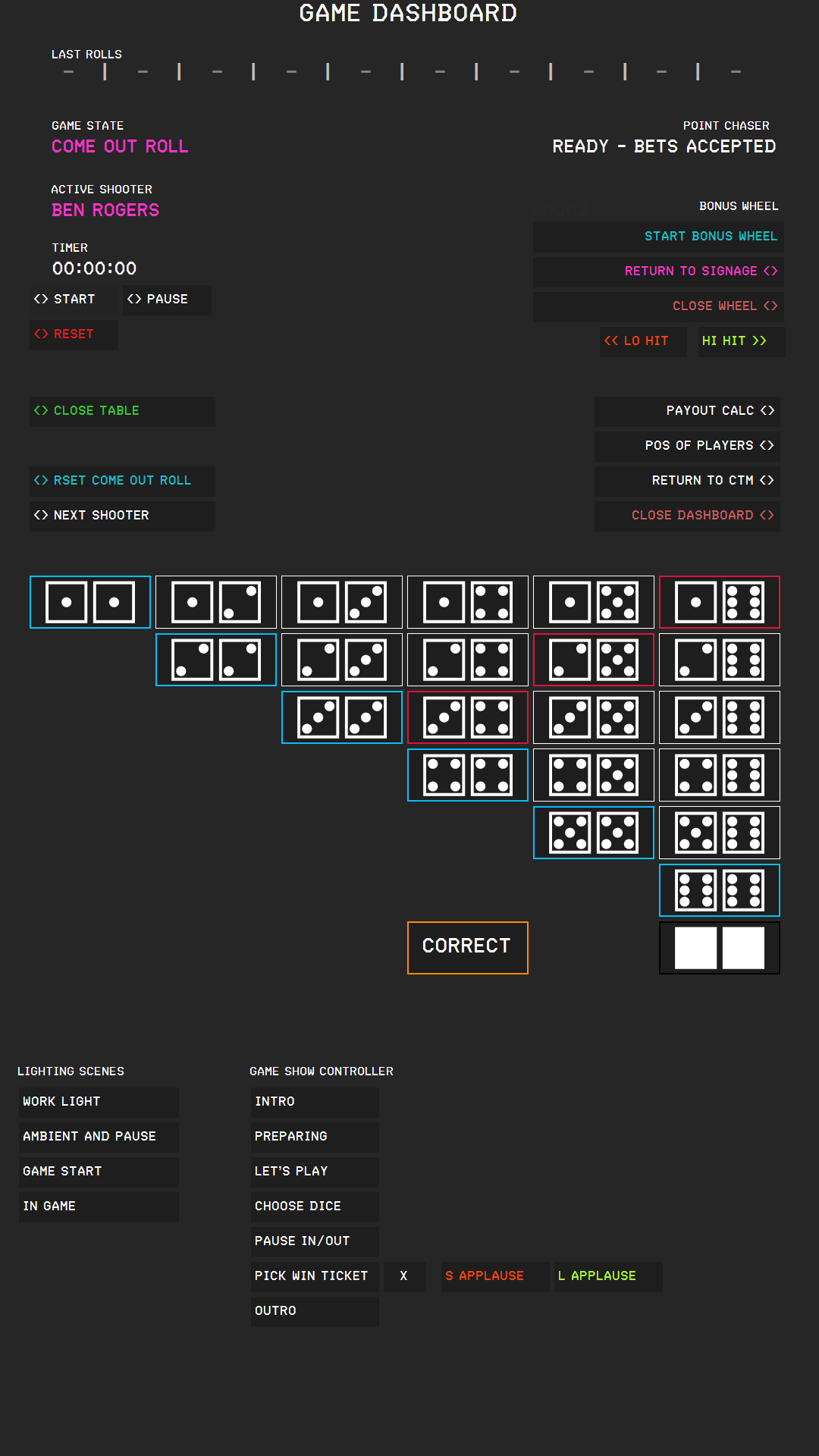
- While a sound plays, the text of its button is orange.
- Each of these buttons shows the length of its sound as minutes and seconds at its right edge, for example 0:42 beside INTRO. While the sound plays, the time counts down. When the sound ends or is stopped, the button shows the full length again. S APPLAUSE and L APPLAUSE show no time. A button without a sound file shows only its name.
- At the end of a sound, the button color pulses red as a warning. This starts with the last 10 seconds for sounds longer than 25 seconds, and with the last 5 seconds for shorter sounds. Sounds of 5 seconds or less do not pulse.
- One announcement at a time. If you press a different announcement button while one is playing, the running sound fades out over one second, and the new sound starts. If you press the button of the running sound, it fades out and stops.
- STOP stops MUSIC BED immediately, without a fade, and plays the short closing sound sfx_stopmusicbed. The closing sound plays in addition: it does not interrupt a running INTRO, PREPARING, or OUTRO, which you still end by pressing its own button.
- S APPLAUSE and L APPLAUSE always play in addition. They do not stop anything, and nothing stops them. They can overlap with an announcement and with each other: each press starts another sound,.
Background Music#
While CTM plays a sound effect, it lowers the background music so that your guests can understand the effect. CTM controls Apple Music, Spotify, and Google Chrome (all tabs) at the same time. Each app returns to its own volume when the effect ends. If several sounds overlap, the music returns only after the last one has finished.
- Effects that play by themselves, including the jackpot hit, lower the music to 5 %.
- Announcements and applause from the controller buttons mute the music completely while they play.