18. The Event Fact Sheet
The fact sheet is a printout that gathers everything about an event, which makes it handy for you and your team.
- Save the event and select it in the DG.
- Press PRINT FACT SHEET. The print window opens.
- Choose your settings and print.
The fact sheet begins with your company header and the date and time of printing. It then shows:
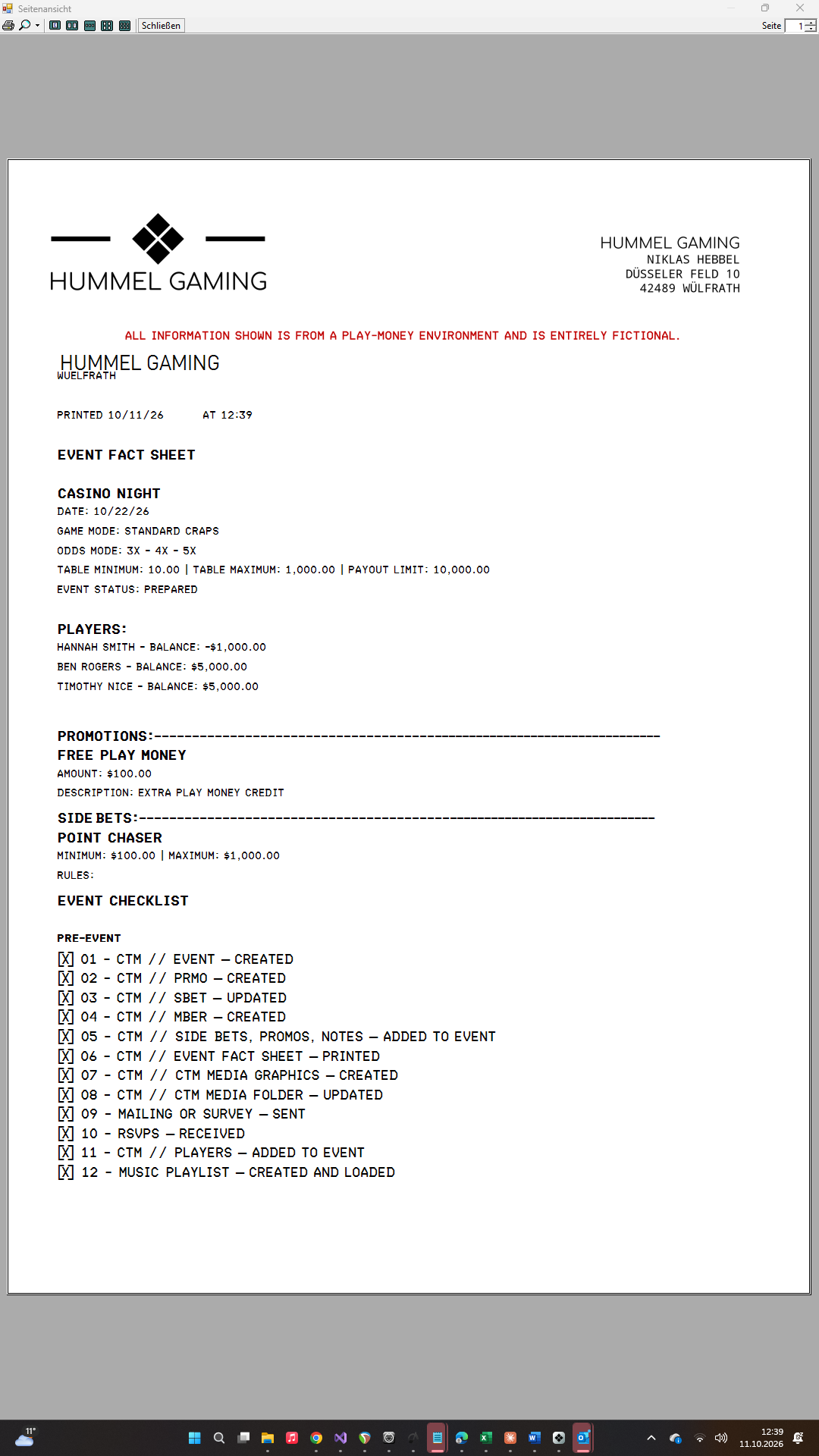
- the event title, date, and game mode, plus the odds, table minimum, table maximum, payout limit, and status
- ADDITIONAL NOTES and CATERING NOTES
- PLAYERS with their balances
- PROMOTIONS with amount and description
- SIDE BETS with minimum, maximum, and rules
- the EVENT CHECKLIST by category, with [X] for completed tasks and [ ] for open tasks
CTM uses as many pages as necessary.