21. Promotions in Finance
You create promotions in the Promotion Database and select them for an event. In Finance, you book them to your players.
Booking Starting Credit#
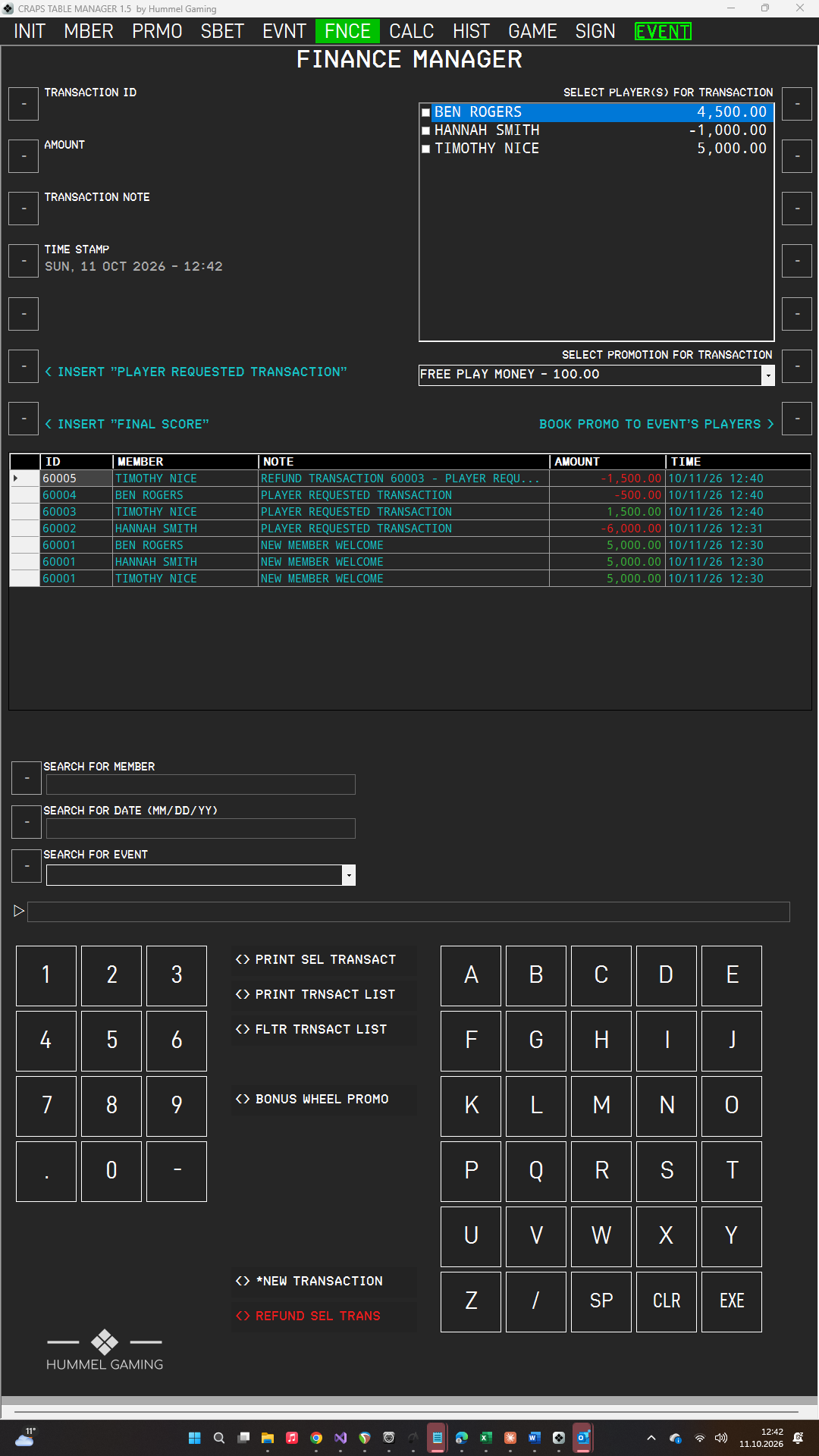
Book a promotion when the players arrive, for example a welcome bonus.
- The event must be active, and the promotion must be selected for it.
- Tap the drop-down list SELECT PROMOTION FOR TRANSACTION and select the promotion. The list shows the active event's promotions with their amounts.
- Press the LSK next to BOOK PROMO TO EVENT'S PLAYERS.
→ See Side Bets and Promotions for an Event.
If no player is ticked in SELECT PLAYER(S) FOR TRANSACTION, CTM books the promotion's amount to every player of the event, as one transaction per player. If you tick one or more players, only these players receive it. The note contains the promotion title, the event title, and the event date. The balances in the player list are updated.
One booking per player. A player can receive the same promotion only once per event. If you press the button again, CTM books the credit only to players who do not have it yet, for example players who joined the event later. If you refund a booking, the player can receive the promotion again. To give credit to a single player, tick only that player before you press the button.
Auto-Refund of Booked Promos#
Promotion credit is offered for refund after 90 days. Each time you open the Finance page, CTM checks for booked promotions that are older than 90 days and have not yet been refunded. If it finds any, a window lists them with the note, the player, and the amount, and asks Refund these now?
- Click Yes to book the credit back. Each refund is a new transaction whose note reads REFUND followed by the original note.
- Click No to keep the credit. CTM asks again the next time you open the Finance page.
This applies to credit booked with BOOK PROMO TO EVENT'S PLAYERS and to wins from the Promo Wheel. You can switch the check off on INIT page 3.
→ See Auto-Refund of Booked Promos.