22. Promo Wheel (Pro)
With the Promo Wheel, players win promotion credit by chance. A wheel runs on the digital signage, and you book the amounts the players win.
What you need
- an active event with players
- a promotion with BONUS WHEEL in its title, selected for the event
- Microsoft PowerPoint and your Promo Wheel presentation; you select the file on INIT page 2.
→ See Bonus Wheel and Promo Wheel Files.
Running the Promo Wheel#
- In Finance, select the promotion with BONUS WHEEL in its title in SELECT PROMOTION FOR TRANSACTION.
- Press BONUS WHEEL PROMO. The Promo Wheel sub page opens.
- Press START PROMO WHEEL. CTM starts the presentation on the screen of the digital signage and switches the light scene. While the wheel is running, the button reads PROMO WHEEL ACTIVE.
- Press NEXT SPIN for the next player. This advances the presentation to the next slide.
- When you are finished, press CLOSE PROMO WHEEL. CTM ends the presentation and shows the digital signage again.
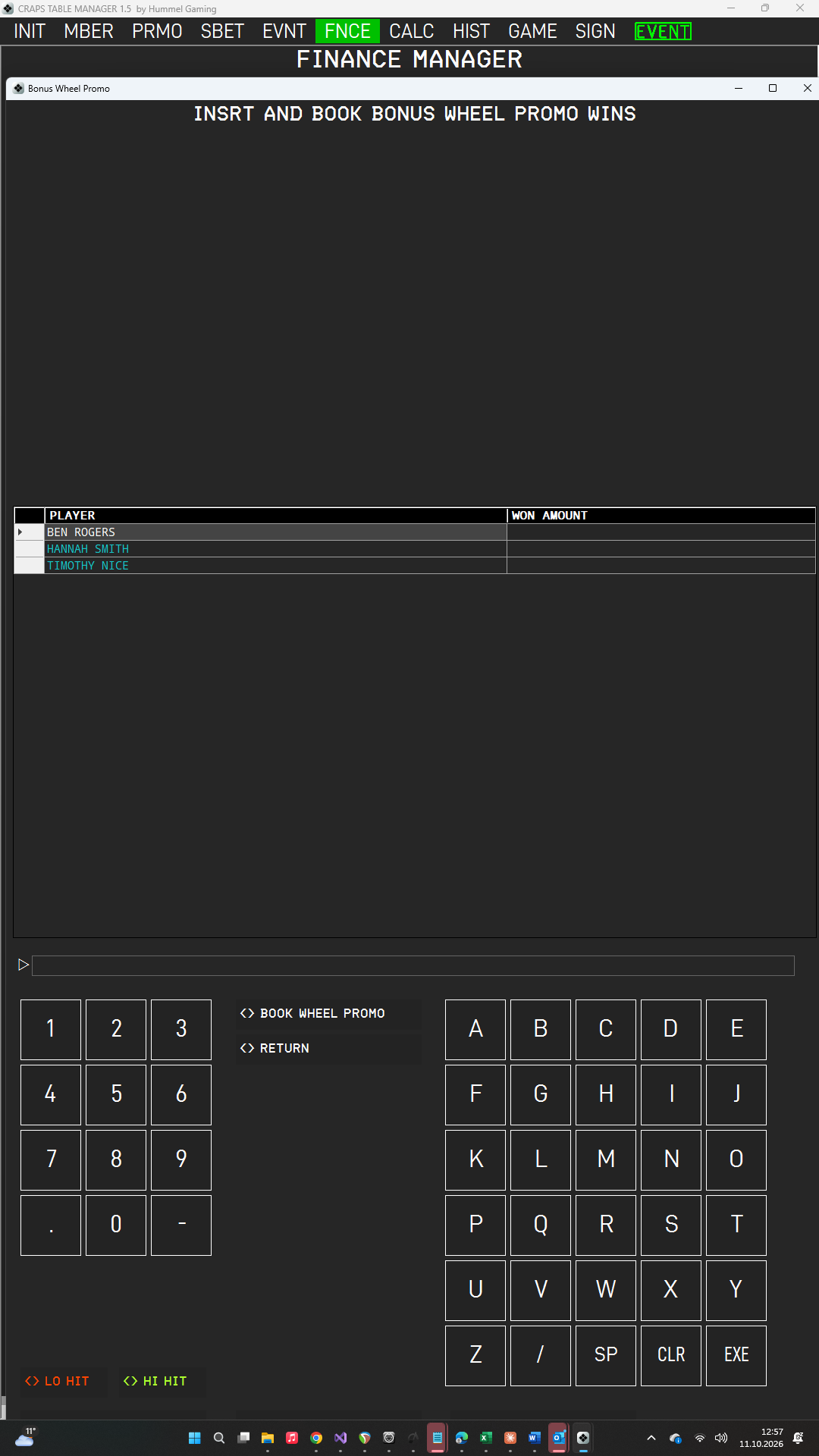
Booking the Wins#
The DG on the Promo Wheel sub page lists the event's players in the column PLAYER; the column WON AMOUNT is initially empty.
- Tap the player in the DG.
- Type the amount the player won and press EXE. The amount appears in WON AMOUNT.
- Repeat this for every winning player.
- Press BOOK WHEEL PROMO. The ScratchLine asks for confirmation.
- Press EXE. CTM books every entered amount to the respective player, with the note BONUS WHEEL PROMO. The amounts are cleared from the list.
Players without an amount are skipped. Press CLR to cancel the booking, and RETURN to close the page. The wins count as promotion credit and are included in the auto-refund after 90 days.