12. Side Bets
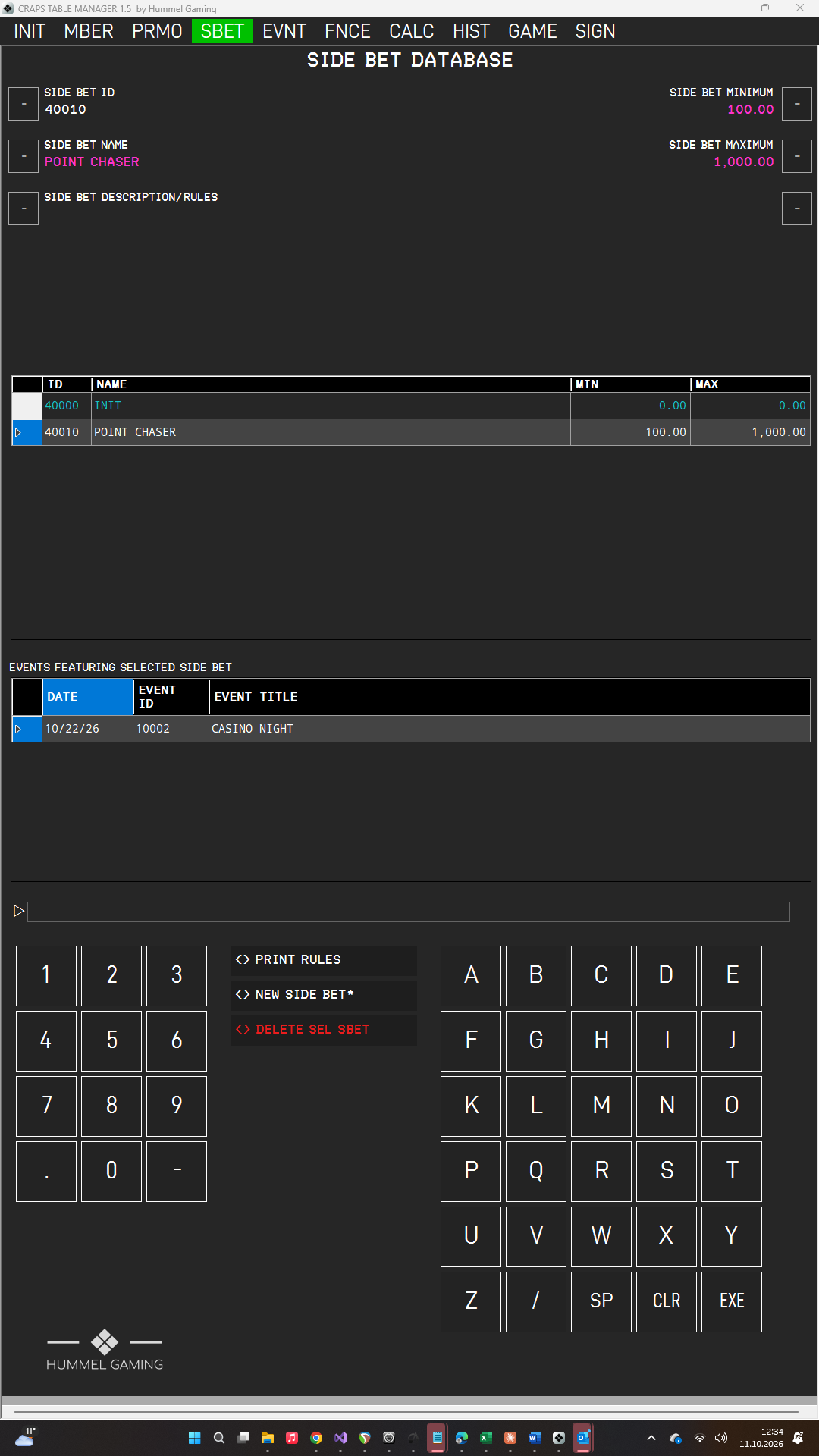
A side bet is an additional bet that you offer at the table alongside the regular game. You create side bets once and select them for every event that offers them. The SIDE BET DATABASE page has data fields for the selected side bet, a DG listing all side bets, and a second DG showing where the selected side bet is used.
Creating, Editing and Deleting a Side Bet#
Creating a side bet
- Open SBET and press NEW SIDE BET*. CTM clears the data fields and assigns the next free SIDE BET ID.
- Type the name and press the LSK next to SIDE BET NAME. Do the same for SIDE BET DESCRIPTION/RULES, SIDE BET MINIMUM, and SIDE BET MAXIMUM.
- Press EXE. The side bet appears in the DG.
Word the rules the way your guests should read them. They appear on the printed rules and on the event fact sheet, together with the minimum and maximum. CTM does not record individual bets at the table.
Editing a side bet
Tap the side bet in the DG, change a value, and press EXE. To empty a data field, press CLR on an empty ScratchLine and then the LSK next to it.
Deleting a side bet
Tap the side bet in the DG and press DELETE SEL SBET. Confirm with EXE or cancel with CLR.
The Point Chaser. The side bet POINT CHASER is built into CTM. When it is selected for an event, CTM tracks it in the game dashboard and in the statistics. CTM identifies it by name, so always keep the word CHASER in the name.
The entry INIT is part of the initial database. Leave it as it is.
Events Featuring a Side Bet#
When you tap a side bet, the lower DG EVENTS FEATURING SELECTED SIDE BET lists the events that use it, showing date, event ID, and title. You select the side bets for an event in the Event Manager.
→ See Side Bets and Promotions for an Event.
Printing Side Bet Rules#
Tap a side bet and press PRINT RULES. The print window opens. The printout fits on one page under your company header and shows the name, the betting limits, and the rules. It is well suited for placing at the table.