29. Closing and Reopening the Table
Use CLOSE TABLE when the table pauses or the evening ends, for example during dinner. Press it on the game dashboard. The button reads CLOSE TABLE.
What happens when you close the table
- The digital signage covers everything with the closed screen and pauses any running video; the slideshow stays where it is.
- The button changes to OPEN TABLE.
- The dashboard is locked. The dice buttons, NO ROLL, CORRECT, the lighting buttons, the sound buttons, and the Bonus Wheel buttons do not respond until you reopen the table, so nobody can record a roll by mistake.
→ See The Closed Screen.
These buttons always work: OPEN TABLE, RETURN TO CTM, CLOSE DASHBOARD, POS OF PLAYERS, and the timer buttons START, PAUSE, and RESET.
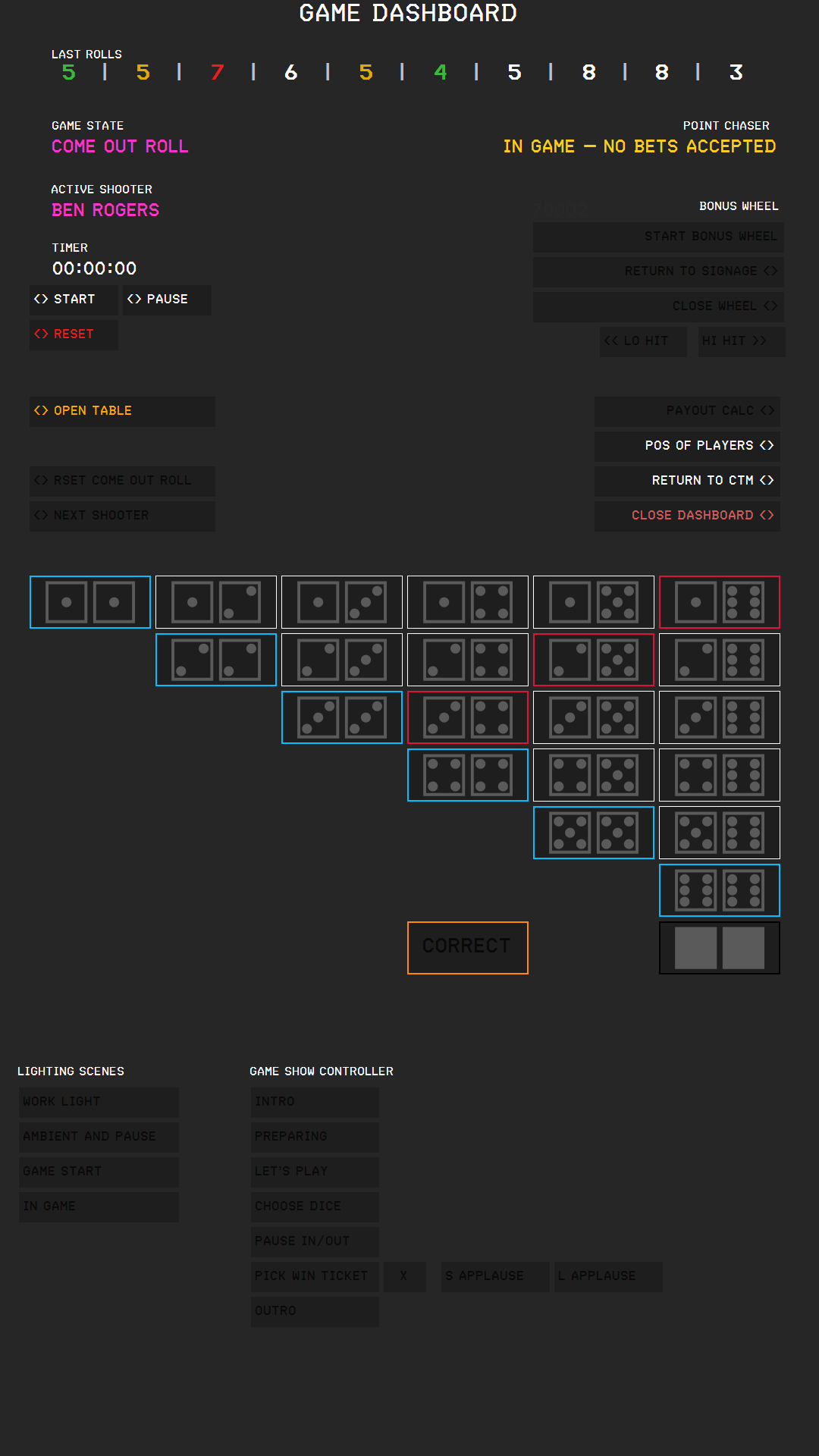
Reopening the table. Press OPEN TABLE. The digital signage returns to normal, and the dashboard buttons work again.
The table stays closed if you close and reopen the dashboard or restart the digital signage, but not if you restart CTM: after a restart, the table is open.